

Speech-To-Text Saves Time for NHS Trust
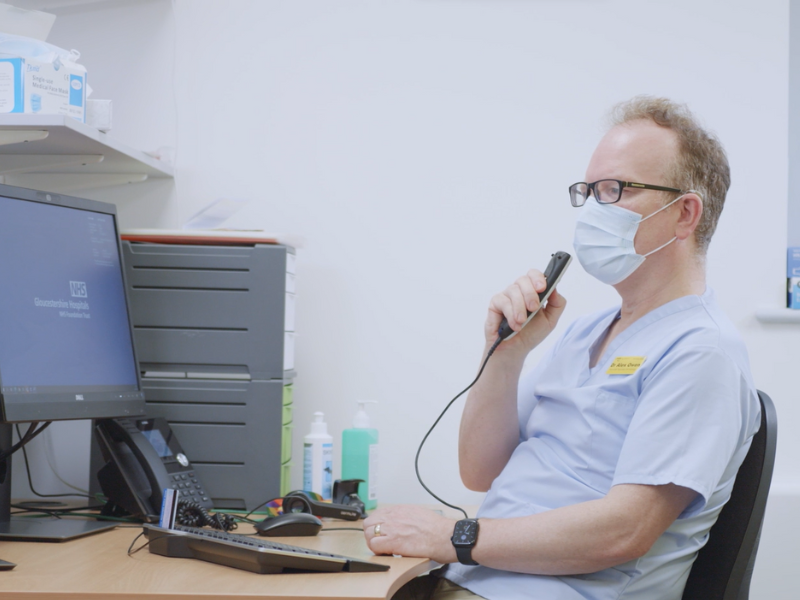
Have you had enough of typing? Is admin taking up too much of your day? Dr Alex Owen of the Dermatology department felt the same. Hear how Dragon Medical One speech recognition changed everything.
Watch Video

We're the top-rated speech recognition provider in the UK on Google!
Here's what our clients have to say.
Read Our Reviews



How can we help you?
We help anyone who does a lot of typing or has additional needs to find a quicker and more efficient way of working. Using digital dictation and speech recognition software, we reduce the time that you spend on admin so that you can focus on the important stuff.
Our aim is to save you time, money, and resources by helping you to work more efficiently. From software and hardware procurement right through to training and technical support we are your one-stop shop for everything workflow-related.
Consult
Tell us your pain-points, your goals, and your requirements. Our team of experts will then advise you on the most suitable speech workflow for you.
Trial
You have our suggestion, but you want to see it for yourself, right? Enjoy a free no-obligation free trial of your new workflow solution to see how it fits into your business and to check IT compatibility.
Support
After a successful trial, we will be there to assist with the roll-out. We can help with the set-up and installation, user training, technical queries and more. Whether its 6-days or 6-months down the line, we are here to help and guide you.


Who is VoicePower?
What our clients say
Our clients are our priority. Find out what its like to work with us through our fabulous collection of client stories.
See who we work with
Carly Hopson
Gloucestershire NHS Dermatology
“If we didn’t have Dragon Medical One, we would be drowning so it has worked really well for us”

Matthew Ainsworth
Eccles Heddon LLP
“My fee income for the firm has doubled since using Dragon. We can complete higher volumes of work more quickly with less stress.”

Dr Tom Back
Balmore Park Surgery
“Dragon frees up time for our secretaries to focus on the referral processes and manage these more effectively for the benefit of patients.”

Simon Jago
Allied Surveyors
"Dragon has revolutionised the way we work and VoicePower's support is excellent."

Joe Coffey
Beale & Co Law
"Swapping to SpeechLive was the easiest transition I have done in 20 years! It was very smooth with no issues at all.”

Adrian Baker
Ison Harrison Solicitors
“Lockdown prompted the change, but the versatility offered by SpeechLive is something we didn’t know we were missing."
Dr Alex Brewster
The Downlands Practice
“Dragon is by far the most helpful intervention I have come across in over 20 years working as a GP, a real game-changer! I would not practice as a GP without it!”


